To remove a shelf, community instructions say select it, choose Move, then Pack, and carry the box to the outdoor bin. That is disposal, not a verified cash refund; restocking and placing a new shelf are separate tasks.
2026 Pet Store Tycoon · already arrived studios · place 118845698633260
I followed the restock article on petstoretycoonroblox.wiki and the removal steps on petstoretycoon.net’s FAQ. Both describe the same carry-the-box loop. Neither publishes wholesale prices, so this page has no “correct” markup. I would rather leave the price blank than invent one.
How to build and place a shelf
Community decor guides describe a Build or Shop menu for fixtures. Select a shelf, read its price, and leave the door, checkout queue and delivery route accessible. Their Q control selects or moves an item; use the placement tool’s rotation control after selection. Touch and console prompts have not been tested here. See layout ideas and expansion requirements.
How restocking is described
Community beginner instructions name F or Phone → Stock. Choose the supplies and quantity, then Add to cart. Wiki examples include Fish Flakes, Tropical Fish Pellets, Water Conditioner, and Small Animal Pellets.
Choose Place order and read the cash charge. The reported delivery location is the pavement outside the shop.
Carry the box inside, face a rack compatible with the product, and use the displayed restock interaction. A small counter rack and a larger shelf are not interchangeable for every product.
Set the retail price. Guides say you can raise it by hand. No source gives the wholesale cost.
Keep any remaining stock box accessible for the next restock. Furniture packed for disposal uses a separate outdoor-bin action; do not assume a supply box is a refund.
How to get rid of a shelf
The community FAQ describes Select → Move → Pack → carry to the outdoor trash bin for furniture such as shelves, tanks, and counters. This has not been tested here. The reviewed source does not establish a sell-back refund, so read any client confirmation before discarding a fixture.
Why an empty shelf matters
Customers reportedly will not buy a pet if the matching care product is out of stock.
Curbside pickup is described as a timed order, separate from the walk-in queue.
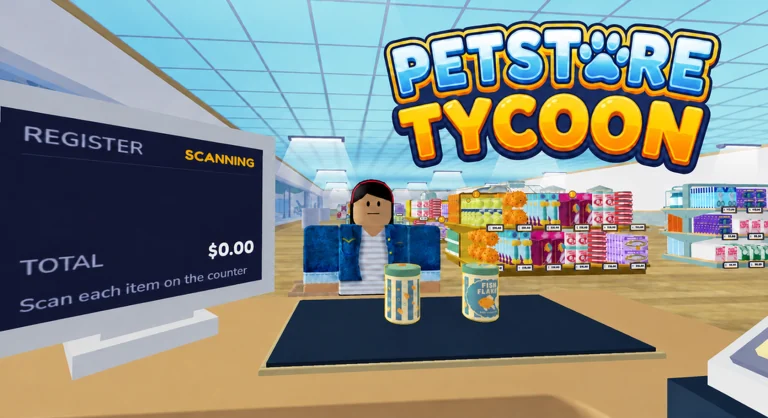
At the register, community instructions describe card-terminal confirmation and cash change; no change does not mean no interaction.
Stocker #1 is an official pass listed at 199 Robux on 13 October 2026. Its efficiency is untested here. See staff prices.
Community decor advice discusses shelf placement and shoplifter routes, without a measured effect. Use layout ideas for proposed arrangements.
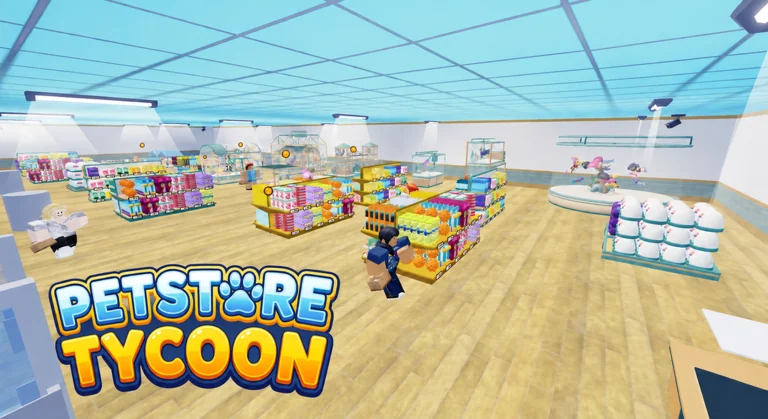
Official aisle thumbnail. You set the price on the shelf yourself.Customers are reported to refuse a pet when the matching care product is missing.
Questions
How do you sell a shelf in Pet Store Tycoon?
The community guide describes packing and disposing of it: Select → Move → Pack → outdoor bin. A cash refund is not established by that source.
Where do supply boxes spawn?
On the pavement outside the store. You carry them in. They do not appear on the shelf by themselves unless a stocker role is doing it, and that role’s exact behavior is not documented.
What price should I charge?
No wholesale price list was published. Guides only say to compare the price you set with what you paid, and that a customer may refuse a pet when the care product is missing.
Customer guide — Care-product requirement, curbside, cash versus card.
Community decor guide — Reported Build/Shop, selection/move and placement controls. Not a site playtest.
Optional videos use YouTube. Google Analytics and Adsterra ads load only after you accept; the Adsterra ad scripts are not injected before that. Microsoft Clarity records heat maps and sessions from arrival. Read our privacy policy.
 First hour
 Stocker
 Pricing